The Way Phishing Attack Works

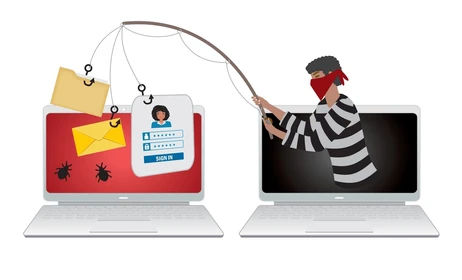
Phishing remains one of the most common ways cybercriminals gain access to email accounts, business systems, and sensitive information.
And today’s phishing attacks are much more sophisticated than the obvious spam emails of the past. Attackers research their victims, create convincing messages, and often imitate trusted companies, coworkers, vendors, or executives.
Understanding how phishing works is one of the best ways to avoid becoming a victim.
How a Phishing Attack Works
Think of a phishing attack as a four-step process:
Recon → Lure → Hook → Catch
There’s a reason they call it phishing.
1. Recon — Researching the Target
Before sending an email, attackers may research their target using social media, company websites, public information, and data exposed in previous security breaches.
They may learn the names of employees, executives, vendors, or customers so their message sounds familiar and legitimate.
2. Lure — Creating a Reason to Act
Next, the attacker creates a message designed to get your attention.
It usually creates urgency, fear, curiosity, or excitement.
Examples might include:
“Your Microsoft account has been suspended.”
“Immediate action required by HR.”
“You have an unpaid invoice.”
“Your password expires today.”
“Claim your $100 reward.”
The goal is simple: get you to react before you have time to think.
3. Hook — Getting You to Click
The email typically contains a link or attachment.
The link may take you to a fake Microsoft 365, Google, banking, or other login page designed to steal your username, password, and potentially authentication information.
Attachments can also contain malicious software that attempts to infect your computer or give an attacker access to your system.
4. Catch — Taking Control
Once attackers obtain your credentials, they may attempt to access your email, financial systems, cloud applications, or other accounts.
From there, they may:
Read confidential email
Reset passwords
Create hidden email forwarding rules
Impersonate employees or executives
Request fraudulent payments
Change banking or ACH information
Steal company or customer data
Attempt to gain access to additional systems
In many cases, the victim may not immediately realize that anything has happened.
Red Flags to Watch For
Check the sender's address.A message may display “Microsoft,” your bank, or someone you know while actually coming from a completely unrelated domain. Look carefully for misspellings, extra characters, or substituted numbers, such as micr0soft instead of microsoft or Apl1e instead of Apple.
Hover before you click.On a computer, hovering over a link can often show you where the link actually leads. If an email claims to send you to Microsoft but the link points somewhere completely unrelated, don't click it.
Watch for unusual greetings or wording.Generic greetings such as “Dear Customer,” strange grammar, unexpected wording, or communication that simply doesn't sound like the person supposedly sending it can be warning signs.
Be suspicious of unusual financial requests.Unexpected requests for gift cards, cryptocurrency, wire transfers, ACH changes, or updated payment information should always be independently verified.
Be cautious when someone creates unnecessary urgency.Attackers want you to act quickly. Messages demanding immediate action deserve extra scrutiny.
Essential Phishing Defenses
Enable Multi-Factor Authentication (MFA) on every account that supports it.
MFA isn't a guarantee that an account can never be compromised, but it adds an important additional layer of protection if a password is stolen.
And remember: never approve an MFA request you didn't initiate.
Technology alone isn't enough.
Businesses should combine strong email security and filtering with MFA, endpoint protection, employee cybersecurity awareness training, and monitoring for suspicious account activity.
When in Doubt, Don't Click
If an email doesn't look right, stop before clicking the link, opening the attachment, or responding.
Contact the sender through a phone number or communication method you already trust. A few seconds of verification can prevent hours, days, or even weeks of recovering from a compromised account.
Need Help Protecting Your Business?
PSeeSolutions helps businesses protect their email, computers, users, and data with proactive managed IT and cybersecurity services.
From email security and endpoint protection to backups, monitoring, employee training, and account protection, we help businesses reduce their risk before an attack becomes a serious problem. Contact PSeeSolutions today at 614-454-3890.


Comments